


Disclosure: This article may contain affiliate links. If you click on a link and make a purchase, we may earn a commission at no additional cost to you. This helps support our work and allows us to continue providing in-depth reviews and comparisons.
Project management software has changed dramatically over the past few years. What used to be glorified to-do lists are now intelligent platforms that predict bottlenecks, automate repetitive work, and help teams collaborate without endless meetings.
I’ve spent the last three months testing AI-powered project management platforms to see which ones actually deliver on their promises. Some impressed me. Others felt like they slapped “AI” on their marketing page and called it a day.
Why AI Matters for Modern Project Management
Here’s what AI actually does for project managers: it handles the boring stuff. Task creation, status updates, resource allocation, meeting notes. The things that eat up hours every week but don’t move projects forward.

The best AI tools for project management don’t just automate tasks. They learn from your team’s patterns and make suggestions you wouldn’t have thought of. Like flagging that Sarah’s workload is 30% higher than everyone else’s, or noticing that design reviews always take three days longer than estimated.
That’s the difference between traditional software and AI-powered platforms. One tracks what you tell it to track. The other actively helps you manage better.
What We Evaluated: Our Ranking Methodology
I ranked these platforms based on five criteria:
- Automation capabilities: How much manual work does the AI actually eliminate?
- Collaboration features: Can teams communicate effectively without switching between tools?
- Ease of use: Does it require a PhD to set up, or can you start using it immediately?
- Pricing: What do you actually get for your money at each tier?
- Scalability: Will it grow with your team or become a bottleneck?
I didn’t just read marketing materials. I created actual projects, invited team members, set up automations, and used each platform like I would in a real work environment.
How to Use This Buyer’s Guide
Skip to the comparison table if you want the quick version. Read the individual reviews if you’re serious about switching platforms and want details. Check the selection guide at the end if you’re overwhelmed and need help narrowing down options.
Most importantly: don’t pick a tool because it’s ranked #1. Pick the one that fits your team’s actual needs. A platform that’s perfect for a 200-person enterprise might be overkill for a 10-person startup.
Understanding AI Automation and Collaboration Features
Not all AI features are created equal. Some are genuinely useful. Others are gimmicks that sound impressive in demos but don’t save you any time.
Essential AI Automation Capabilities
Intelligent task creation means the platform can generate tasks from meeting notes, emails, or conversations. You mention something needs to get done, and it creates a task with a suggested assignee and deadline.
Predictive scheduling looks at your team’s historical data and estimates how long tasks will actually take. Not how long you hope they’ll take, but how long they typically take based on similar work.

Resource allocation helps you distribute work evenly. The AI notices when someone’s overloaded and suggests reassigning tasks or pushing deadlines.
Risk detection is probably the most valuable feature. The platform identifies potential problems before they become actual problems. Like noticing that three critical tasks all depend on one person who’s about to go on vacation.
Automated reporting generates status updates without you having to compile data manually. Some platforms can even write the actual report text, though you’ll want to review it before sending.
Advanced Collaboration Features to Look For
Real-time communication within the platform means fewer emails and Slack messages. You can discuss tasks, share files, and make decisions without context-switching.
AI-powered meeting summaries transcribe your calls and pull out action items automatically. You don’t need someone taking notes, and you don’t need to rewatch recordings to remember what was decided.
Smart notifications filter out noise. Instead of getting pinged every time someone comments on a task, you only get notified about things that actually need your attention.
Cross-team visibility lets different departments see how their work affects each other. Marketing knows when the product team is behind schedule. Sales knows when new features are launching.
The ROI of AI-Powered Project Management
Time savings add up quickly. If your team spends 5 hours per week on status updates, meeting notes, and task management, that’s 260 hours per year. At $50/hour, that’s $13,000 in labor costs for just one person.
Productivity gains come from better resource allocation and fewer bottlenecks. Teams using AI-powered platforms typically complete projects 15-20% faster because they catch problems earlier.
Cost reductions happen when you avoid project delays and scope creep. Missing a deadline by two weeks doesn’t just delay revenue. It often means paying contractors longer, missing market windows, or losing customer trust.
Top 10 Best AI Tools for Project Management in 2026
#1: ClickUp – Best Overall AI Project Management Platform
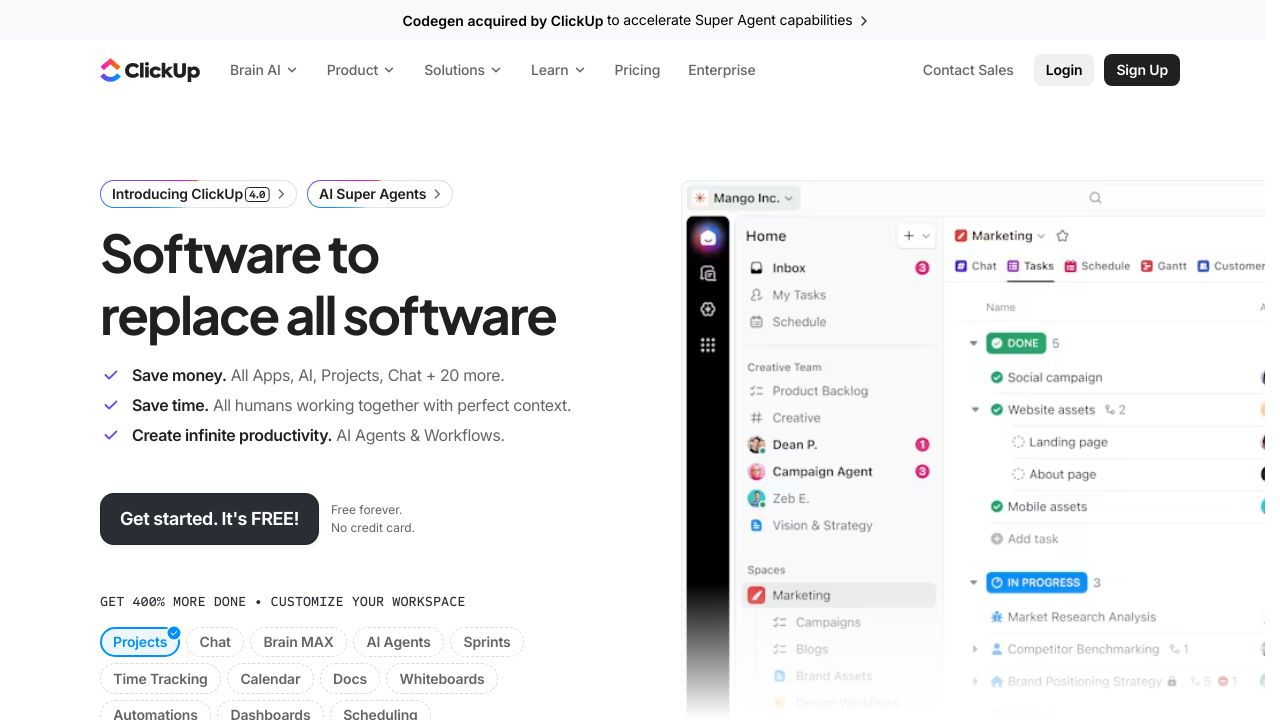
ClickUp combines powerful automation with an interface that doesn’t require a training manual. Their AI assistant can write task descriptions, summarize comment threads, and generate subtasks based on your main objectives.
What sets ClickUp apart is flexibility. You can view projects as lists, boards, timelines, or calendars. Switch between views depending on what you’re working on. The AI adapts to whichever view you’re using.
The automation builder lets you create workflows without coding. When a task moves to “In Review,” it automatically assigns it to your QA lead and sets a due date three days out. Simple stuff that saves hours.
Best for: Teams that want comprehensive features without overwhelming complexity. Works well for companies with 10-500 employees.
#2: Monday.com – Best for Workflow Automation
Monday.com excels at automating repetitive workflows. Their visual automation builder makes it easy to create complex sequences without technical knowledge.
The platform’s strength is its customization. You can build boards for any workflow, from content calendars to product launches to hiring pipelines. The AI suggests automations based on how you’re using the board.
Integration capabilities are extensive. Monday.com connects with most tools you’re already using, so data flows automatically between systems.
Best for: Teams that need to automate complex, multi-step workflows across different departments.
#3: Wrike – Best for Large-Scale Enterprise Projects
Wrike handles enterprise complexity better than most platforms. Their AI focuses on resource management and workload balancing across large teams.
Security features meet enterprise requirements. Role-based permissions, audit logs, and compliance certifications make it suitable for regulated industries.
The platform’s analytics go deep. You can track project health, team performance, and budget utilization with customizable dashboards that update in real-time.
Best for: Organizations with 100+ employees managing multiple complex projects simultaneously.
#4: Asana – Best for Small to Medium Teams
Asana keeps things simple without sacrificing functionality. Their AI features focus on the basics: smart task suggestions, workload management, and automated status updates.
The interface is clean and intuitive. New team members can start using it immediately without extensive training. That matters more than you’d think when you’re trying to get everyone on the same system.
Pricing is reasonable for smaller teams. You get meaningful AI features without paying enterprise rates.
Best for: Teams of 5-50 people who want solid project management without unnecessary complexity.
#5: Jira – Best for Agile and Scrum Teams
Jira is built specifically for software development teams. Their AI understands agile workflows and helps with sprint planning, backlog prioritization, and velocity tracking.
The platform integrates deeply with development tools. Connect it to GitHub, Bitbucket, or GitLab, and it automatically updates task status based on code commits and pull requests.
Reporting for agile teams is comprehensive. Burndown charts, velocity reports, and sprint retrospectives are built in.
Best for: Software development teams using agile methodologies, especially those already in the Atlassian ecosystem.
#6: Notion – Best for Cross-Functional Collaboration
Notion combines project management with documentation and knowledge management. Their AI helps you organize information and find what you need quickly.
The flexibility is both a strength and a weakness. You can build exactly what you need, but that requires upfront setup time. Once configured, it works well for teams that need to collaborate across different functions.
The AI writing assistant helps with documentation, meeting notes, and project briefs. It’s particularly useful for teams that create a lot of written content.
The AI writing assistant helps with documentation, meeting notes, and project briefs. It’s particularly useful for teams that create a lot of written content.
#7: Trello – Best for Budget-Conscious Teams
Trello offers solid project management at a lower price point. Their AI features are more limited than premium platforms, but they cover the essentials.
The kanban board interface is simple and visual. You can see project status at a glance without digging through menus.
Power-ups extend functionality. Add automation, calendar views, or custom fields as needed without paying for features you won’t use.
Best for: Small teams or startups that need basic project management without a big budget.
#8: Smartsheet – Best for Creative and Marketing Teams
Smartsheet combines spreadsheet familiarity with project management features. Their AI helps with resource planning and campaign management.
The platform works well for teams managing multiple campaigns or creative projects simultaneously. You can track budgets, deadlines, and deliverables in one place.
Customizable dashboards let you create client-facing views or executive summaries without manual reporting.
Best for: Marketing and creative teams managing campaigns, content calendars, and client projects.
#9: Basecamp – Best for Remote and Hybrid Teams
Basecamp focuses on asynchronous communication. Their AI helps summarize discussions and surface important decisions without requiring everyone to be online simultaneously.
The flat pricing model is refreshing. You pay one price regardless of team size, which makes budgeting simple.
Message boards and automatic check-ins reduce meeting overhead. Teams can stay aligned without constant video calls.
Best for: Fully remote teams or companies with significant time zone differences.
#10: Taskade – Best for AI-Powered Analytics and Reporting
Taskade emphasizes AI-generated insights and reporting. Their analytics help you understand team performance and project health.
The AI assistant can answer questions about your projects in natural language. Ask “Which projects are behind schedule?” and get an immediate answer.
Real-time collaboration features work well for teams that need to brainstorm and plan together.
Best for: Data-driven teams that want detailed analytics and predictive insights.
Comparison Matrix: Features, Pricing, and Best Fit
| Platform | Best For | Starting Price | Key AI Features |
|---|---|---|---|
| ClickUp | Overall best choice | Free tier available | Task generation, automation, summaries |
| Monday.com | Workflow automation | $8/user/month | Visual automation builder, smart suggestions |
| Wrike | Enterprise projects | $9.80/user/month | Resource management, workload balancing |
| Asana | Small-medium teams | Free tier available | Smart task suggestions, workload management |
| Jira | Agile/Scrum teams | $7.75/user/month | Sprint planning, backlog prioritization |
| Notion | Cross-functional work | Free tier available | AI writing assistant, search |
| Trello | Budget-conscious | Free tier available | Basic automation, card suggestions |
| Smartsheet | Creative/marketing | $7/user/month | Campaign management, resource planning |
| Basecamp | Remote teams | $15/user/month | Discussion summaries, async features |
| Taskade | Analytics focus | Free tier available | Natural language queries, predictive insights |
Quick Selection Guide by Use Case
If you’re a startup with under 10 people, start with ClickUp or Asana. Both have generous free tiers and won’t overwhelm you with features you don’t need yet.
If you’re a software development team, Jira is probably your best bet. It’s built for agile workflows and integrates with your existing dev tools.
If you’re an enterprise with 100+ employees, look at Wrike or Monday.com. They handle complexity and scale better than simpler platforms.
If you’re an enterprise with 100+ employees, look at Wrike or Monday.com. They handle complexity and scale better than simpler platforms.
If you’re a fully remote team, Basecamp’s async-first approach reduces meeting overhead and works across time zones.
How to Choose the Right AI Project Management Platform
Assessing Your Team’s Automation Needs
Start by listing the repetitive tasks your team does every week. Status updates, task assignments, deadline reminders, meeting notes. Those are automation candidates.
Not every task should be automated. Some things benefit from human judgment. Focus on automating the truly repetitive stuff that doesn’t require decision-making.
Consider your team’s technical comfort level. Some platforms require setup and configuration. Others work out of the box with minimal customization.
Evaluating Collaboration Requirements
Think about how your team actually communicates. Do you have daily standups? Weekly check-ins? Mostly async communication? Pick a platform that matches your existing patterns.
Consider whether you need built-in communication or if you’re happy using Slack or Teams alongside your project management tool. Some teams prefer everything in one place. Others like keeping communication separate.
Integration and Migration Considerations
List the tools you’re currently using. Your new platform needs to integrate with most of them, or you’ll end up manually copying data between systems.
Ask about data migration support. Some platforms offer migration services. Others expect you to figure it out yourself. Moving years of project history isn’t trivial.
Trial Period Best Practices
Don’t just click around during your trial. Create a real project with actual tasks and invite your team. Use it for daily work, not just exploration.
Test the features you’ll actually use. If you need automation, build some automations. If you need reporting, generate some reports. Marketing demos always look great. Real usage reveals problems.
Pay attention to support responsiveness during your trial. If you can’t get help when you’re a potential customer, it won’t improve after you’re paying.
Implementation and Adoption Strategies
Change Management for AI Tool Adoption
People resist change, especially when they’re comfortable with existing tools. Start with a small pilot team rather than forcing everyone to switch at once.
Identify champions on each team who can help others learn the platform. Peer training works better than top-down mandates.
Be patient with the transition period. Productivity typically dips for 2-4 weeks while people adjust. That’s normal and temporary.
Maximizing AI Features from Day One
Start with one or two automations rather than trying to automate everything immediately. Get those working well, then add more.
Use templates for common project types. Most platforms include templates, or you can create your own. Templates ensure consistency and save setup time.
Enable AI features gradually. Let your team get comfortable with basic functionality before introducing advanced AI capabilities.
Measuring Success and ROI
Track time spent on administrative tasks before and after implementation. That’s your clearest ROI metric.
Monitor project completion rates and timeline accuracy. AI-powered platforms should help you deliver projects on time more consistently.
Survey your team about satisfaction and productivity. Quantitative metrics matter, but so does whether people actually like using the tool.
Future Trends in AI Project Management
AI project management tools will probably get better at predicting outcomes. Instead of just tracking current status, they’ll forecast final delivery dates and budget with increasing accuracy.
Natural language interfaces are improving rapidly. You’ll be able to manage projects by talking to your AI assistant rather than clicking through menus.
Autonomous task management might become reality. The AI could handle routine project management tasks without human intervention, escalating only when decisions are needed.
Integration between tools will get smarter. Your project management platform will understand context from your other tools and make better suggestions.
Making Your Decision
The best AI tools for project management aren’t necessarily the ones with the most features. They’re the ones that fit your team’s workflow and actually get used.
Start with free trials of your top three choices. Use them for real work. See which one feels natural for your team.
Don’t overthink it. You can always switch platforms if your first choice doesn’t work out. The cost of staying with inadequate tools is higher than the cost of switching.
For most teams, ClickUp offers the best balance of features, usability, and price. For enterprise teams, Wrike handles complexity better. For development teams, Jira remains the standard.
Whatever you choose, commit to using it consistently. The best platform won’t help if half your team ignores it and keeps using spreadsheets.