


Disclosure: This article may contain affiliate links. If you click on a link and make a purchase, we may earn a commission at no additional cost to you. This helps support our work and allows us to continue providing in-depth reviews and comparisons.
Software development in 2026 looks nothing like it did three years ago. AI coding assistants have moved from experimental tools to essential parts of most developers’ workflows. What started as simple autocomplete has evolved into sophisticated systems that understand entire codebases and can generate complex functionality from natural language descriptions.
The shift happened faster than most people expected. These tools aren’t just helping developers write code faster; they’re changing how we think about programming itself.
The State of AI Coding Tools in 2026
The term “vibe coding” has emerged to describe a new development paradigm where developers describe what they want in natural language, and AI assistants handle much of the implementation. It sounds almost too good to be true, but it’s becoming standard practice for many teams.
Modern AI coding tools now offer repository-wide context understanding. They don’t just look at the current file; they analyze your entire codebase to provide suggestions that actually fit your architecture and coding patterns. This is a massive leap from the early days of line-by-line autocomplete.

Enterprise adoption has accelerated significantly. Companies that were skeptical two years ago are now rolling out AI assistants across their engineering teams. The productivity gains are too substantial to ignore.
Why Developers and Teams Need Code Assistants Now
The benefits go beyond just writing code faster. AI assistants help with the tedious parts of development that drain energy and time. Writing boilerplate code, converting between formats, generating test cases, documenting functions. These tasks still need to happen, but they don’t need to consume hours of your day.
For engineering leads, the value proposition is clear. Teams can ship features faster without sacrificing quality. Junior developers can be productive sooner because they have an AI pair programmer helping them understand patterns and best practices. Code reviews become more focused on architecture and business logic rather than syntax errors.
The competitive pressure is real too. If your competitors are using these tools and you’re not, you’re probably falling behind in time-to-market. That’s just the reality of modern software development.
How to Use This Buyer’s Guide
This guide evaluates the Best AI Tools for Coding based on several key criteria: context understanding capabilities, IDE integration quality, security features, language support, team collaboration tools, and pricing structure. We’ve focused on tools that work well for complex, real-world codebases rather than simple demos.
Your ideal tool depends on your specific situation. A solo developer building side projects has different needs than an enterprise team managing millions of lines of code. We’ll help you match tools to your use case throughout this guide.
Key Features to Evaluate in Best AI Tools for Coding
Not all AI coding tools are created equal. Understanding the differences between categories and capabilities will help you make a smarter choice.
Code Completion vs. Code Generation vs. Full AI Agents
Code completion tools predict what you’re about to type and offer suggestions as you write. Think of them as very smart autocomplete. They’re helpful but limited to the immediate context of what you’re working on.
Code generation platforms take a description of what you want and generate entire functions or files. You describe the functionality in natural language or comments, and the AI writes the implementation. This is where vibe coding really shines.

AI agents represent the cutting edge. These tools can work autonomously on tasks, making decisions about implementation approaches, refactoring code across multiple files, and even fixing bugs without constant human guidance. They’re still evolving but show tremendous promise.
Most modern tools blend these capabilities rather than fitting neatly into one category. The best platforms offer all three modes depending on what you need at the moment.
Context Understanding and Codebase Indexing
This is probably the most important differentiator. Tools with strong context engines can analyze your entire repository to understand your architecture, naming conventions, and coding patterns. When they suggest code, it actually looks like something you would write.
Platforms like Augment have built sophisticated context engines specifically for complex enterprise codebases. They index your repository and maintain awareness of how different parts of your system interact. This matters enormously when you’re working on large projects with millions of lines of code.
Weaker tools might generate syntactically correct code that doesn’t fit your project’s patterns or architecture. That creates more work, not less.
IDE Integration and Developer Workflow
The best AI assistant is useless if it doesn’t work smoothly in your development environment. Most developers use VS Code or JetBrains IDEs, so strong integration with these platforms is essential. But you also want CLI tools for terminal-based workflows and integration with your existing toolchain.
Look for tools that feel native to your IDE rather than bolted on. The suggestions should appear naturally as you code, without disrupting your flow. Keyboard shortcuts should be intuitive. The interface shouldn’t feel like you’re constantly switching contexts.
Security, Privacy, and Compliance Considerations
This is where many teams get nervous, and rightfully so. You’re potentially sending your proprietary code to a third-party service. What happens to that data? Who can access it? Is it used to train models that might leak your intellectual property?
Enterprise-grade tools offer SOC 2 compliance, clear data handling policies, and options for self-hosting or private cloud deployment. Some platforms guarantee that your code never leaves your infrastructure. Others are transparent about data usage and offer opt-out options for training.
For regulated industries or companies with strict security requirements, these features aren’t optional. Make sure you understand exactly how each tool handles your code before committing.
Language and Framework Support
Most tools handle popular languages like Python, JavaScript, TypeScript, Java, and Go reasonably well. But if you’re working with less common languages or specialized frameworks, support can vary dramatically.
Check whether the tool understands your specific tech stack. Does it know the idioms of your framework? Can it generate code that follows best practices for your language? Some tools are generalists; others specialize in particular ecosystems.
Team Collaboration and Management Features
If you’re managing a team, you need visibility into how the tool is being used. Usage analytics help you understand adoption rates and identify developers who might need additional training. Admin controls let you set policies and manage licenses efficiently.
Some platforms offer team-specific features like shared context, collaborative prompts, or integration with code review workflows. These can be valuable for maintaining consistency across your team.
The 10 Best AI Code Assistants and Generation Platforms for 2026
Here are the top platforms that stand out in 2026, each with distinct strengths for different use cases.
GitHub Copilot: The Industry Standard
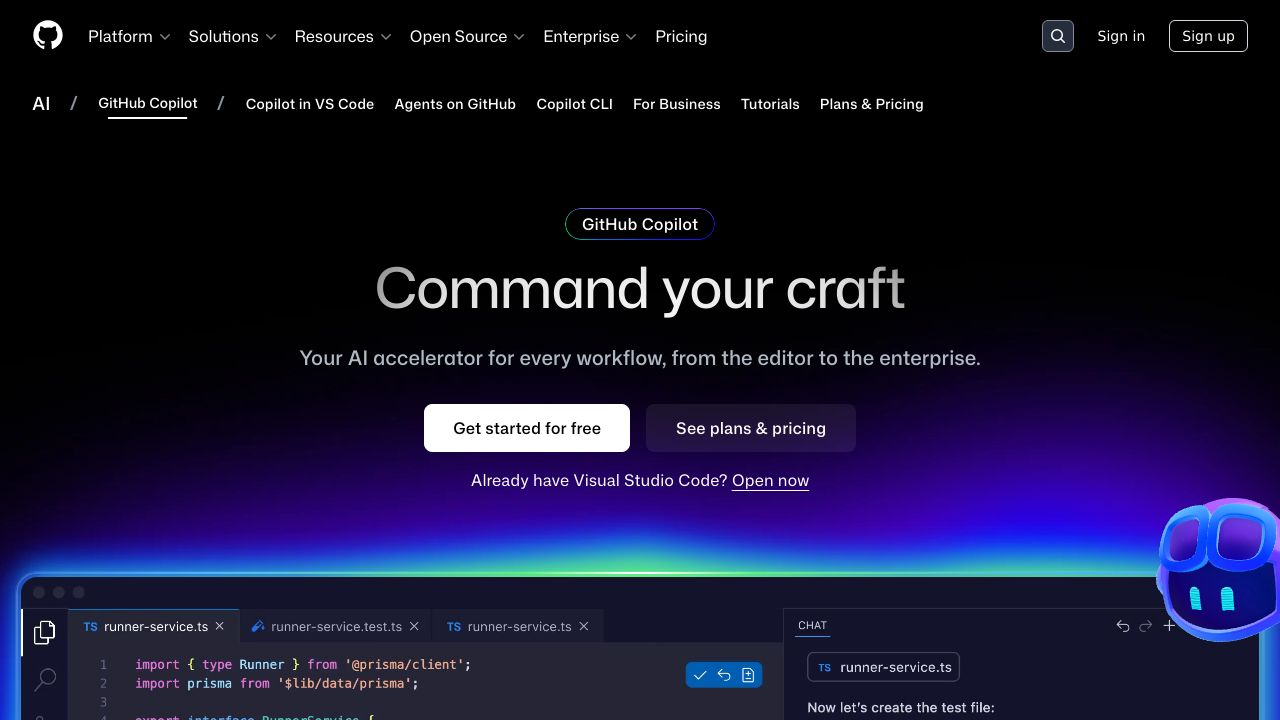
GitHub Copilot remains the most widely adopted AI coding assistant, and for good reason. It offers solid code completion, works across most popular languages, and integrates seamlessly with VS Code and JetBrains IDEs.
The tool has matured significantly since its launch. It now offers chat functionality for asking questions about your code, explaining complex functions, and generating documentation. The suggestions are generally high quality, though they can sometimes be generic if you’re working on specialized domains.
Best for: Individual developers and teams already using GitHub who want a reliable, well-supported tool with broad language coverage.
Cursor: The AI-First IDE
Cursor takes a different approach by building an entire IDE around AI assistance. It’s based on VS Code but adds powerful AI features throughout the editing experience. The tool excels at understanding context and can make changes across multiple files simultaneously.
What makes Cursor interesting is how deeply integrated the AI is. You can highlight code and ask questions, request refactoring, or generate tests without leaving your editor. The natural language interface feels more conversational than most competitors.
Best for: Developers willing to switch IDEs for a more integrated AI experience, particularly those working on rapid prototyping or smaller projects.
Augment: Enterprise-Grade Context Engine
Augment has built its reputation on handling complex enterprise codebases. The platform’s context engine indexes entire repositories and maintains deep understanding of how your code fits together. This makes it particularly valuable for large teams working on sophisticated systems.
The tool offers multiple interaction modes: traditional completions, an AI agent that can work autonomously, code review assistance, and even Slack integration for asking questions about your codebase. The enterprise focus means strong security features and compliance certifications.
Best for: Enterprise teams with large, complex codebases who need sophisticated context understanding and enterprise-grade security.
Replit: Vibe Coding Platform
Replit has evolved into a full-fledged development platform with powerful AI capabilities. You can describe what you want to build in natural language, and Replit’s AI will generate not just code but entire applications with proper structure and deployment.
The platform shines for rapid prototyping and learning. It handles the entire development environment in the browser, so there’s no setup required. The AI understands common application patterns and can scaffold projects quickly.
Best for: Rapid prototyping, learning to code, building side projects, and teams that want a fully managed development environment.
Tabnine: Privacy-Focused Assistant
Tabnine differentiates itself through strong privacy guarantees. The tool offers on-premises deployment options and never uses your code to train public models. For companies with strict security requirements, this is a major selling point.
The code completion quality is solid, and the tool supports a wide range of languages and IDEs. It’s not as flashy as some competitors, but it’s reliable and respects your data.
Best for: Teams in regulated industries or companies with strict data privacy requirements who need on-premises deployment options.
Amazon CodeWhisperer: AWS Integration
Amazon CodeWhisperer offers strong integration with AWS services and is particularly good at generating code that uses AWS APIs correctly. If you’re building on AWS infrastructure, this tool understands the ecosystem deeply.
The tool includes security scanning to identify potential vulnerabilities in generated code. It’s also free for individual developers, which makes it accessible for experimentation.
Best for: Teams heavily invested in AWS who want AI assistance that understands their cloud platform natively.
Codeium: Free Alternative
Codeium offers surprisingly capable AI assistance for free. The tool provides code completion, chat functionality, and supports numerous languages and IDEs. For individual developers or small teams on a budget, it’s hard to beat the value proposition.
The quality isn’t quite at the level of premium tools, but it’s more than adequate for many use cases. The company makes money through enterprise features rather than charging individual developers.
Best for: Individual developers, students, and small teams who want capable AI assistance without the cost.
Sourcegraph Cody: Code Intelligence Platform
Sourcegraph Cody leverages Sourcegraph’s code search and intelligence platform to provide context-aware assistance. The tool can answer questions about your codebase, explain how systems work, and generate code that fits your existing patterns.
If you’re already using Sourcegraph for code search, Cody is a natural extension. The integration between search and AI assistance creates a powerful combination for understanding large codebases.
Best for: Teams using Sourcegraph who want AI assistance that leverages their existing code intelligence infrastructure.
JetBrains AI Assistant: Native IDE Integration
JetBrains AI Assistant is built directly into JetBrains IDEs like IntelliJ IDEA, PyCharm, and WebStorm. If you’re committed to the JetBrains ecosystem, this tool offers the most native integration possible.
The assistant understands the context provided by JetBrains’ powerful code analysis tools. It can help with refactoring, generating tests, explaining code, and writing documentation. The integration feels seamless because it’s built by the same company that makes the IDE.
Best for: Teams standardized on JetBrains IDEs who want AI assistance that feels native to their development environment.
Claude with Artifacts: Conversational Coding
Claude isn’t a traditional coding assistant, but many developers use it for code generation through its conversational interface. The Artifacts feature lets you iterate on code in a chat-like environment, which works well for prototyping and learning.
The tool excels at explaining complex concepts, debugging issues, and generating code from detailed descriptions. It’s not integrated into your IDE, but the quality of code generation is often excellent.
Best for: Developers who prefer a conversational interface for code generation, prototyping, and learning new concepts.
Comparison Matrix: Finding Your Perfect Match
Choosing between these tools depends on your specific needs, budget, and technical requirements. Here’s how they stack up across key dimensions.
Feature Comparison Table
| Tool | Context Understanding | IDE Integration | Enterprise Security | Best Use Case |
|---|---|---|---|---|
| GitHub Copilot | Good | Excellent | Good | General development |
| Cursor | Very Good | Native IDE | Moderate | Rapid prototyping |
| Augment | Excellent | Excellent | Excellent | Enterprise codebases |
| Replit | Good | Browser-based | Moderate | Quick projects |
| Tabnine | Good | Excellent | Excellent | Privacy-focused teams |
| CodeWhisperer | Good | Good | Good | AWS development |
| Codeium | Moderate | Good | Moderate | Budget-conscious |
| Sourcegraph Cody | Excellent | Good | Good | Code intelligence |
| JetBrains AI | Very Good | Native | Good | JetBrains users |
| Claude | Good | None | N/A | Conversational coding |
Pricing Comparison and ROI Analysis
Pricing varies significantly across these platforms. Some offer free tiers for individual developers, while enterprise plans can run into thousands of dollars per year per developer. The key is understanding the return on investment.
If an AI assistant saves each developer even 30 minutes per day, that’s roughly 10% of their productive time. For a developer earning $150,000 annually, that’s $15,000 in value. Most tools cost far less than that, making the ROI calculation straightforward.
Free tools like Codeium offer excellent value for small teams. Mid-tier options typically range from $10-30 per developer per month. Enterprise platforms with advanced features and security can cost $50-100+ per developer monthly, but they provide capabilities that justify the premium for large organizations.
Use Case Recommendations
For solo developers and side projects: Start with Codeium or GitHub Copilot. Both offer strong capabilities at reasonable prices (or free). Replit works well if you want a fully managed environment.
For small teams (2-10 developers): GitHub Copilot or Cursor provide good balance of features and cost. If you’re on JetBrains IDEs, their native AI Assistant is worth considering.
For mid-size teams (10-50 developers): Look at tools with team management features. Augment, Tabnine, or Sourcegraph Cody offer the collaboration and admin capabilities you’ll need.
For enterprise organizations: Augment, Tabnine, or GitHub Copilot Enterprise provide the security, compliance, and scale required. The investment in proper context understanding pays off significantly at this scale.
Implementation Guide: Getting Started with AI Code Assistants
Buying the tool is just the first step. Successful implementation requires thoughtful planning and execution.
Evaluating and Testing Before Commitment
Most platforms offer free trials. Use them. Have 3-5 developers test the tool on real work for at least a week. Track specific metrics: time saved on common tasks, code quality, and developer satisfaction.
Test with your actual codebase, not toy examples. Does the tool understand your architecture? Do the suggestions fit your coding standards? Can it handle your tech stack effectively?
Onboarding Your Development Team
Some developers will embrace AI assistance immediately. Others will be skeptical. That’s normal. Focus on demonstrating value rather than mandating adoption.
Share best practices for prompting and using the tool effectively. Create internal documentation with examples specific to your codebase. Identify champions who can help others learn.
Set realistic expectations. These tools are assistants, not replacements for developer expertise. They make mistakes. They need oversight. Frame them as productivity multipliers, not magic solutions.
Security and Compliance Setup
Work with your security team to configure appropriate policies. Determine what code can be sent to external services. Set up audit logging if required. Establish code review processes that account for AI-generated code.
Make sure developers understand data handling policies. What gets sent to the AI provider? How is it used? What are the privacy implications?
Common Pitfalls and How to Avoid Them
Teams that rush into AI coding tools without proper planning often hit predictable problems. Here’s what to watch out for.
Over-Reliance on AI-Generated Code
The biggest risk is accepting AI suggestions without understanding them. Junior developers especially can fall into this trap. The code looks reasonable, compiles fine, but contains subtle bugs or security issues.
Maintain code review standards. AI-generated code should receive the same scrutiny as human-written code. Actually, it probably deserves more scrutiny until your team develops intuition for common AI mistakes.
Security and IP Concerns
Developers might accidentally paste sensitive code into AI chat interfaces or use tools that send proprietary code to external services. Establish clear policies about what can and cannot be shared with AI tools.
Some tools train on user code by default. Make sure you understand and configure these settings appropriately for your organization’s needs.
Integration Challenges
Not every tool works smoothly with every development environment. Test thoroughly with your specific setup before rolling out to the entire team. Check compatibility with your IDE version, plugins, and workflow tools.
Making Your Final Decision
The Best AI Tools for Coding in 2026 offer capabilities that would have seemed like science fiction just a few years ago. But choosing the right one requires understanding your specific needs, constraints, and goals.
Start with a clear assessment of what you need. Are you a solo developer looking to boost productivity? A small team wanting to ship faster? An enterprise organization needing sophisticated context understanding and security?
Try multiple tools. Most offer free trials or free tiers. Spend real time with them on actual work. The best tool is the one that fits naturally into your workflow and provides consistent value.
Remember that this technology is still evolving rapidly. What’s true today might change in six months. Stay flexible and be willing to reevaluate as new capabilities emerge.
The developers and teams that thrive in 2026 aren’t necessarily the ones with the most advanced AI tools. They’re the ones who’ve learned to use these tools effectively while maintaining the judgment, creativity, and expertise that makes great software possible.