


Disclosure: This article may contain affiliate links. If you click on a link and make a purchase, we may earn a commission at no additional cost to you. This helps support our work and allows us to continue providing in-depth reviews and comparisons.
Finance teams at small and mid-size businesses face a problem that’s getting worse, not better. You’re drowning in spreadsheets, chasing down receipts, and spending hours on forecasts that are outdated the moment you finish them. Meanwhile, your CFO wants real-time insights, and your team is stretched thin.
AI tools have changed this equation completely.
We’re not talking about futuristic technology anymore. The Best AI Tools for Finance are here now, automating the grunt work and giving finance professionals the time to actually analyze data instead of just collecting it. These tools handle everything from expense tracking to predictive forecasting, and they’re built specifically for teams that don’t have enterprise budgets or dedicated IT departments. For a broader look at how AI is transforming various departments, explore other best AI tools for business.

Why Finance Teams Need AI in 2026
The complexity of financial data has exploded. You’re pulling information from multiple bank accounts, payment processors, invoicing systems, and accounting platforms. Manual consolidation takes days, and by the time you’re done, the numbers have already changed.
Competitive pressure is another factor. Your competitors are probably already using AI to make faster decisions. They’re spotting trends earlier, catching anomalies quicker, and forecasting with better accuracy. If you’re still doing everything manually, you’re falling behind.
Real-time insights aren’t a luxury anymore. Leadership expects you to answer questions immediately, not in three days after you’ve updated your spreadsheets. AI tools give you that instant visibility into your financial position.
Key Benefits of Best AI Tools for Finance
Time savings are the most obvious benefit. Tasks that used to take hours now take minutes. Expense categorization happens automatically. Reports generate themselves. Your team can focus on strategic work instead of data entry.
Accuracy improvements matter more than you might think. Human error in financial data can be costly. AI tools catch mistakes, flag anomalies, and ensure consistency across your financial records. They don’t get tired or distracted.
Predictive capabilities give you a crystal ball (sort of). Modern AI can analyze historical patterns and market conditions to forecast future performance with surprising accuracy. You’ll spot cash flow problems before they become crises.

Cost reduction is significant for SMBs. These tools often pay for themselves within months by reducing the need for additional headcount, minimizing errors, and optimizing spending patterns.
What to Look for in AI Financial Tools
Integration capabilities should be your first consideration. The tool needs to connect seamlessly with your existing accounting software, ERP system, and banking platforms. If it can’t pull data automatically, you’re just creating more work for yourself.
Ease of use matters tremendously. Your team shouldn’t need a computer science degree to operate the software. Look for intuitive interfaces and good documentation. The best tools feel natural from day one.
Scalability is crucial for growing businesses. You don’t want to switch tools in two years because you’ve outgrown the platform. Make sure the solution can handle increased transaction volumes and additional users.
ROI considerations are straightforward. Calculate how much time the tool will save, multiply that by your team’s hourly cost, and compare it to the subscription price. Most finance AI tools show positive ROI within the first quarter.
Top 10 Best AI Tools for Finance in 2026
We’ve evaluated dozens of platforms to identify the tools that actually deliver value for small to mid-size finance teams. These aren’t theoretical recommendations. They’re proven solutions that finance professionals are using right now.
Cube Software: All-in-One FP&A Platform
Cube Software has built something special for FP&A teams. It’s designed specifically for financial planning and analysis, which means it understands the workflows finance professionals actually use.
The platform combines your spreadsheet familiarity with database power. You can keep working in Excel or Google Sheets while Cube handles the data consolidation, version control, and collaboration in the background. It’s particularly strong at scenario modeling and variance analysis.
Their AI capabilities focus on automating forecasting and surfacing insights from your financial data. The system learns from your historical patterns and can flag unusual trends or potential issues before they become problems.
Best for: Finance teams that live in spreadsheets but need better collaboration and automation. Particularly valuable for companies doing complex budgeting and forecasting.
Prezent: Financial Reporting and Communication
Prezent tackles a problem most finance tools ignore: communicating your findings. You can have perfect data, but if you can’t present it effectively to stakeholders, it doesn’t matter.
The platform helps finance teams create professional reports and presentations quickly. It uses AI to suggest visualizations, format data clearly, and ensure your financial communications are consistent and compelling.
This tool shines when you’re preparing board presentations, investor updates, or executive dashboards. It understands financial storytelling and helps you highlight the insights that matter most.
Best for: CFOs and finance leaders who spend significant time creating presentations and reports for non-finance audiences.
DataRobot: Predictive Analytics Powerhouse
DataRobot brings enterprise-grade machine learning to financial forecasting. It’s more technical than some other options, but the predictive accuracy is impressive.
The platform can analyze complex datasets to identify patterns humans would miss. It’s particularly useful for revenue forecasting, demand planning, and risk assessment. You can build custom models without writing code, though having some data science knowledge helps.
DataRobot excels at scenario planning. You can test different assumptions and see how they impact your forecasts. The system explains its predictions, so you’re not working with a black box.
Best for: Mid-size businesses with complex forecasting needs and some technical capability on the team.
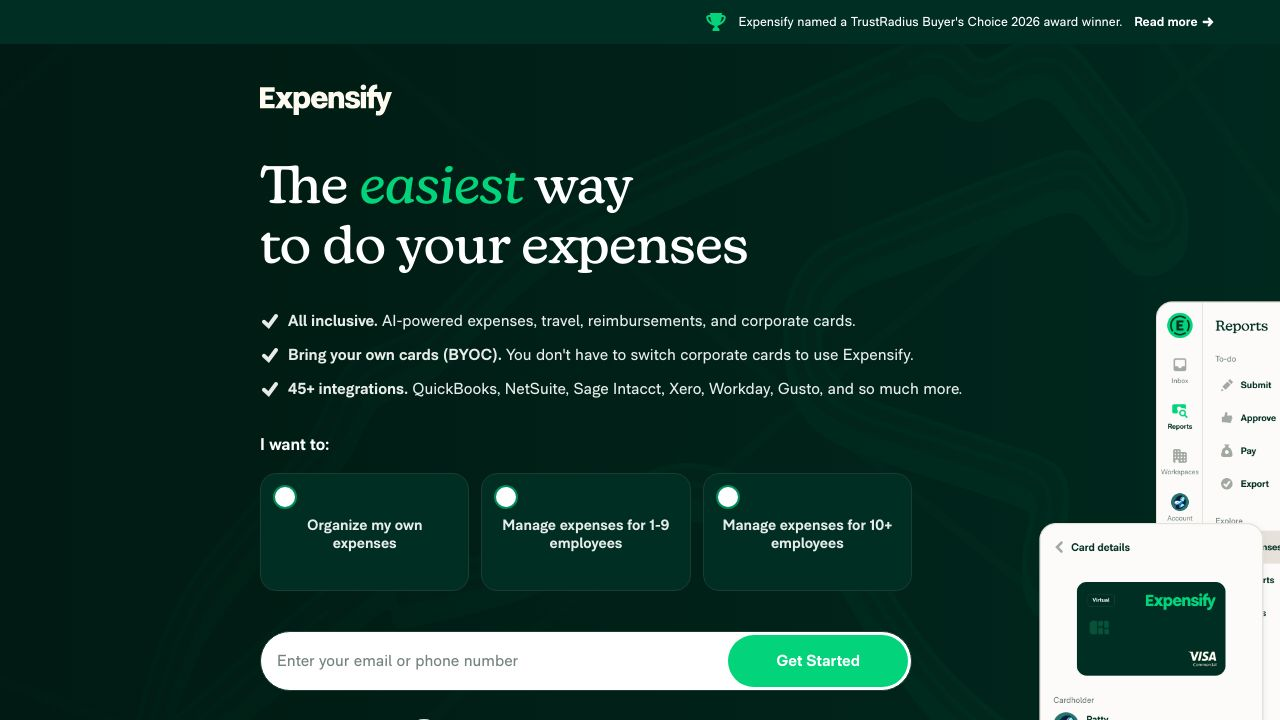
Expensify: Expense Management Leader
Expensify has been around for years, but their AI capabilities keep getting better. The platform handles the entire expense management workflow, from receipt capture to reimbursement.
Their SmartScan technology reads receipts automatically and extracts all the relevant data. Employees just snap a photo, and the system handles categorization, policy enforcement, and approval routing. It even detects duplicate submissions.
Real-time spending visibility is a major advantage. You can see company-wide expenses as they happen, not weeks later when credit card statements arrive. The mobile app makes it easy for employees to submit expenses on the go.
Best for: Companies tired of chasing down receipts and dealing with expense report backlogs.
Sage Intacct: Financial Management Suite
Sage Intacct is a cloud-based accounting platform with increasingly sophisticated AI features. It’s designed for growing businesses that have outgrown QuickBooks but aren’t ready for SAP.
The system automates routine accounting tasks like invoice processing, payment matching, and journal entries. Its dimensional reporting gives you flexibility in how you slice and analyze your financial data.
Integration with other business systems is a strength. Sage Intacct connects with CRM platforms, inventory systems, and payroll providers to give you a complete financial picture.
Best for: Growing companies that need robust accounting capabilities with room to scale.
Planful: Strategic Planning Platform
Planful focuses on the planning side of finance. It’s built for budgeting, forecasting, and consolidation across multiple entities or departments.
The platform’s AI helps with driver-based planning, automatically updating forecasts when key business metrics change. You can model different scenarios quickly and see the financial impact of strategic decisions.
Collaborative planning is where Planful really shines. Department heads can submit their budgets directly into the system, and finance can review, adjust, and consolidate everything in one place.
Best for: Companies with complex organizational structures that need coordinated planning across multiple teams.
Brex: Modern Expense and Cash Management
Brex combines corporate cards with expense management and cash flow tools. It’s designed for startups and tech companies but works well for any modern business.
The AI automatically categorizes transactions, enforces spending policies, and flags unusual activity. Employees get instant notifications about policy violations, so issues get resolved immediately instead of during monthly reconciliation.
Cash flow forecasting is built into the platform. Brex analyzes your spending patterns and upcoming obligations to predict your cash position. It’s not as sophisticated as dedicated forecasting tools, but it’s useful for basic planning.
Best for: Fast-growing companies that want integrated corporate cards and expense management.
Prophix: Automated Financial Reporting
Prophix specializes in automating the financial close process and generating reports. If you’re spending days each month closing the books, this tool can probably cut that time significantly.
The platform pulls data from multiple sources, performs automated reconciliations, and generates standardized reports. You can set up templates for recurring reports so they generate automatically each period.
Audit trails are comprehensive. Every change is tracked, which makes compliance easier and gives you confidence in your numbers.
Best for: Finance teams drowning in month-end close activities and manual reporting.
Vena Solutions: Excel-Based Planning
Vena Solutions takes a different approach by working directly within Excel. If your team refuses to give up spreadsheets, Vena might be your answer.
The platform adds database functionality and workflow automation to your existing Excel models. You keep the flexibility and familiarity of spreadsheets while gaining version control, collaboration features, and data integrity.
AI features help with data validation and anomaly detection. The system can flag cells that look unusual based on historical patterns or business rules you’ve defined.
Best for: Excel power users who need better collaboration and governance without abandoning spreadsheets.
Jirav: Integrated Financial Planning
Jirav connects your accounting system with planning and forecasting tools. It’s designed specifically for small to mid-size businesses that need professional FP&A capabilities without enterprise complexity.
The platform creates rolling forecasts automatically based on your actuals. As new data comes in from your accounting system, Jirav updates your projections. You can adjust assumptions and see the impact immediately.
Dashboard creation is straightforward. You can build custom views for different stakeholders, from detailed operational metrics for department heads to high-level summaries for the board.
Best for: Small businesses that want sophisticated planning tools without overwhelming complexity.
Comparison Matrix: Finding Your Perfect Match
Choosing the right tool depends on your specific needs, budget, and technical capabilities. Here’s how these platforms stack up across key dimensions.
Feature Comparison Chart
| Tool | Primary Strength | Best For | Integration Level |
|---|---|---|---|
| Cube Software | FP&A and forecasting | Spreadsheet-based teams | Excellent |
| Prezent | Financial reporting | Executive communication | Good |
| DataRobot | Predictive analytics | Complex forecasting | Excellent |
| Expensify | Expense management | Receipt automation | Very Good |
| Sage Intacct | Core accounting | Growing businesses | Excellent |
| Planful | Strategic planning | Multi-entity budgeting | Very Good |
| Brex | Expense and cash flow | Startups and tech | Good |
| Prophix | Financial close | Month-end automation | Excellent |
| Vena Solutions | Excel-based planning | Excel power users | Very Good |
| Jirav | Integrated planning | Small to mid-size | Good |
Pricing Breakdown by Business Size
Budget considerations vary dramatically based on company size. Small businesses need affordable solutions that deliver immediate value. Mid-size companies can invest more but still need clear ROI.
For small businesses (1-50 employees), tools like Expensify, Brex, and Jirav typically offer the best value. They’re priced for smaller teams and don’t require extensive implementation.
Growing businesses (51-200 employees) should look at Cube Software, Vena Solutions, or Sage Intacct. These SaaS platforms scale well and can handle increasing complexity without requiring a complete replacement.
Mid-size businesses (201-500 employees) often need the capabilities of Planful, Prophix, or DataRobot. The investment is higher, but the automation and insights justify the cost at this scale.
Best Tool for Each Use Case
- Best for forecasting: Cube Software or DataRobot depending on your technical sophistication
- Best for expense management: Expensify for pure expense tracking, Brex if you want integrated corporate cards
- Best for analytics: DataRobot for advanced needs, Sage Intacct for standard reporting
- Best all-in-one solution: Cube Software for FP&A focus, Sage Intacct for accounting focus
- Best value for money: Jirav for small businesses, Vena Solutions for Excel-dependent teams
Getting Started with Best AI Tools for Finance
Implementation doesn’t have to be painful. Most finance teams can get up and running with AI tools in weeks, not months. The key is approaching it systematically.
Assessing Your Current Financial Processes
Start by documenting what you’re doing now. Map out your month-end close process, expense workflows, and reporting requirements. Identify the biggest time sinks and pain points.
Ask your team what frustrates them most. The answers will probably surprise you. Sometimes the biggest problems aren’t the ones leadership thinks about.
Quantify the time spent on manual tasks. If your team spends 20 hours per month on expense report processing, that’s your baseline for measuring improvement.
Building Your Business Case for AI Investment
CFOs need concrete numbers to justify new software. Calculate the fully-loaded cost of your team’s time spent on tasks the AI tool would automate. Include not just salaries but benefits, overhead, and opportunity cost.
Factor in error reduction. Financial mistakes are expensive. If AI tools prevent even one significant error per year, they’ve probably paid for themselves.
Consider the strategic value of faster insights. Being able to answer leadership questions immediately instead of in three days has real business value, even if it’s hard to quantify.
Step-by-Step Implementation Timeline
Days 1-30: Tool selection and vendor negotiations. Get demos from your top three choices. Involve the people who’ll actually use the software in the decision. Check references carefully.
Days 31-60: Data migration and initial setup. Clean your data before importing it. Set up integrations with your existing systems. Configure workflows and approval processes.
Days 61-90: Team training and parallel processing. Run the new system alongside your old processes for at least one full cycle. This gives you confidence the numbers match and helps identify any issues.
Change Management for Finance Teams
Resistance is normal. Some team members will worry about job security. Others just don’t like change. Address concerns directly and honestly.
Emphasize that AI tools eliminate boring work, not jobs. Your team will spend less time on data entry and more time on analysis and strategy. That’s better for everyone.
Identify champions early. Find the team members who are excited about the new tools and let them help train others. Peer training is often more effective than vendor training.
Maximizing ROI: Best Practices for AI Tool Usage
Buying the software is just the beginning. Getting full value requires ongoing attention and optimization.
Data Quality and Preparation
AI tools are only as good as the data you feed them. Garbage in, garbage out isn’t just a cliche. It’s reality.
Establish data governance policies. Define who’s responsible for data quality in each area. Set up regular audits to catch issues early.
Clean historical data before migration. Yes, it’s tedious. But starting with clean data saves countless hours of troubleshooting later.
Integration with Existing Systems
Seamless integration is critical. Manual data transfers defeat the purpose of automation.
Work with your IT team (or consultant) to set up proper API connections. Most modern tools have pre-built integrations with popular accounting platforms, but they still need configuration.
Test integrations thoroughly. Run parallel processes for at least one full cycle to ensure data flows correctly and numbers reconcile.
Training Your Team for AI Success
Initial training is important, but ongoing education matters more. These tools evolve quickly, and new features appear regularly.
Schedule monthly learning sessions where team members share tips and tricks they’ve discovered. The collective knowledge of your team is valuable.
Take advantage of vendor training resources. Most companies offer webinars, documentation, and certification programs. They’re usually free and worth the time investment.
Measuring Success and KPIs
Track specific metrics to prove ROI and identify areas for improvement.
- Time savings: Hours spent on specific tasks before and after implementation
- Forecast accuracy: Variance between projections and actuals over time
- Error reduction: Number of corrections needed in financial reports
- Close cycle time: Days required to close the books each month
- Report generation time: Hours needed to produce standard reports
- User adoption: Percentage of team actively using the tools
What’s Next for AI in Finance
The AI tools available today are impressive, but they’re just the beginning. The next few years will bring capabilities that seem almost magical right now.
Emerging AI Technologies in Financial Management
Agentic AI is probably the most exciting development. These systems can take actions autonomously based on predefined rules and goals. Imagine an AI that doesn’t just flag unusual expenses but automatically investigates them, contacts the employee, and resolves the issue.
Natural language processing is getting scary good. You’ll soon be able to ask your financial system questions in plain English and get detailed, accurate answers instantly. No more building complex reports or writing SQL queries, making it easier to leverage advanced analytics tools.
Autonomous financial planning is emerging. AI systems that can build and maintain financial models with minimal human input. They’ll adjust assumptions automatically based on changing business conditions.
Regulatory Considerations and Compliance
Regulators are paying attention to AI in finance. Expect more guidance around explainability, audit trails, and accountability for AI-driven decisions.
Data privacy requirements continue to tighten. Make sure your AI tools comply with relevant regulations like GDPR, CCPA, or industry-specific requirements.
Audit trail requirements are becoming more stringent. Your AI tools need to document not just what decisions were made, but how and why. This transparency is crucial for compliance and building trust.
Preparing Your Finance Function for 2027 and Beyond
Build an AI-ready culture now. Encourage experimentation and learning. The finance teams that thrive will be those that embrace AI as a tool for augmentation, not replacement.
Invest in your team’s technical skills. Finance professionals don’t need to become data scientists, but basic data literacy and comfort with technology are increasingly essential.
Stay informed about new developments. The AI landscape changes quickly. What’s cutting-edge today might be standard practice in six months.
Making Your Decision
You’ve got the information. Now it’s time to act. The finance teams that adopt AI tools now will have a significant advantage over those that wait.
Quick Selection Guide
If your primary pain point is forecasting accuracy, start with Cube Software or DataRobot. If it’s expense management chaos, look at Expensify or Brex first. For reporting bottlenecks, consider Prophix or Prezent.
Budget constraints? Jirav and Expensify offer excellent value for smaller teams. Unlimited budget? DataRobot and Planful provide enterprise-grade capabilities.
Technical capabilities matter. If your team is comfortable with technology, you have more options. If they’re Excel purists, Vena Solutions or Cube Software will feel more natural.
Next Steps and Resources
Most vendors offer free trials or demos. Take advantage of them. Get your hands on the software before committing. Involve your team in the evaluation process.
Ask vendors these questions: How long does implementation typically take? What’s included in support? Can we talk to similar customers? What’s your product roadmap?
Check user reviews on sites like G2 or Capterra. Real user experiences provide insights you won’t get from sales presentations.
Final Recommendations by Business Profile
Startups and small businesses: Start with Expensify for expense management and Jirav for planning. They’re affordable, quick to implement, and deliver immediate value.
Growing SMBs: Cube Software provides the FP&A capabilities you need as you scale. Pair it with Sage Intacct for core accounting if you’ve outgrown QuickBooks.
Established mid-market companies: Consider Planful or Prophix for comprehensive planning and reporting. Add DataRobot if you need advanced predictive analytics. For optimizing other business operations, you might also explore AI-powered project management tools.
The Best AI Tools for Finance are here, they work, and they’re more accessible than ever. Your competitors are probably already using them. The question isn’t whether to adopt AI tools. It’s which ones to implement first.